
Choosing between a custom website and a template website affects your development budget, launch timeline, maintenance responsibilities, and long-term business growth. Templates provide a practical starting point for businesses that need standard features and a faster launch, while custom development offers greater flexibility for specialized workflows, integrations, and user experiences.
However, custom development is not automatically faster, more secure, or better for SEO. Both approaches can deliver strong results when implemented and maintained properly. The right choice depends on your website’s purpose, technical requirements, expected growth, available budget, and total cost of ownership.
This guide compares template websites and custom website development across cost, performance, SEO, security, scalability, and maintenance to help you decide when investing in a custom solution is worth it.
What A Template Website Really Means?
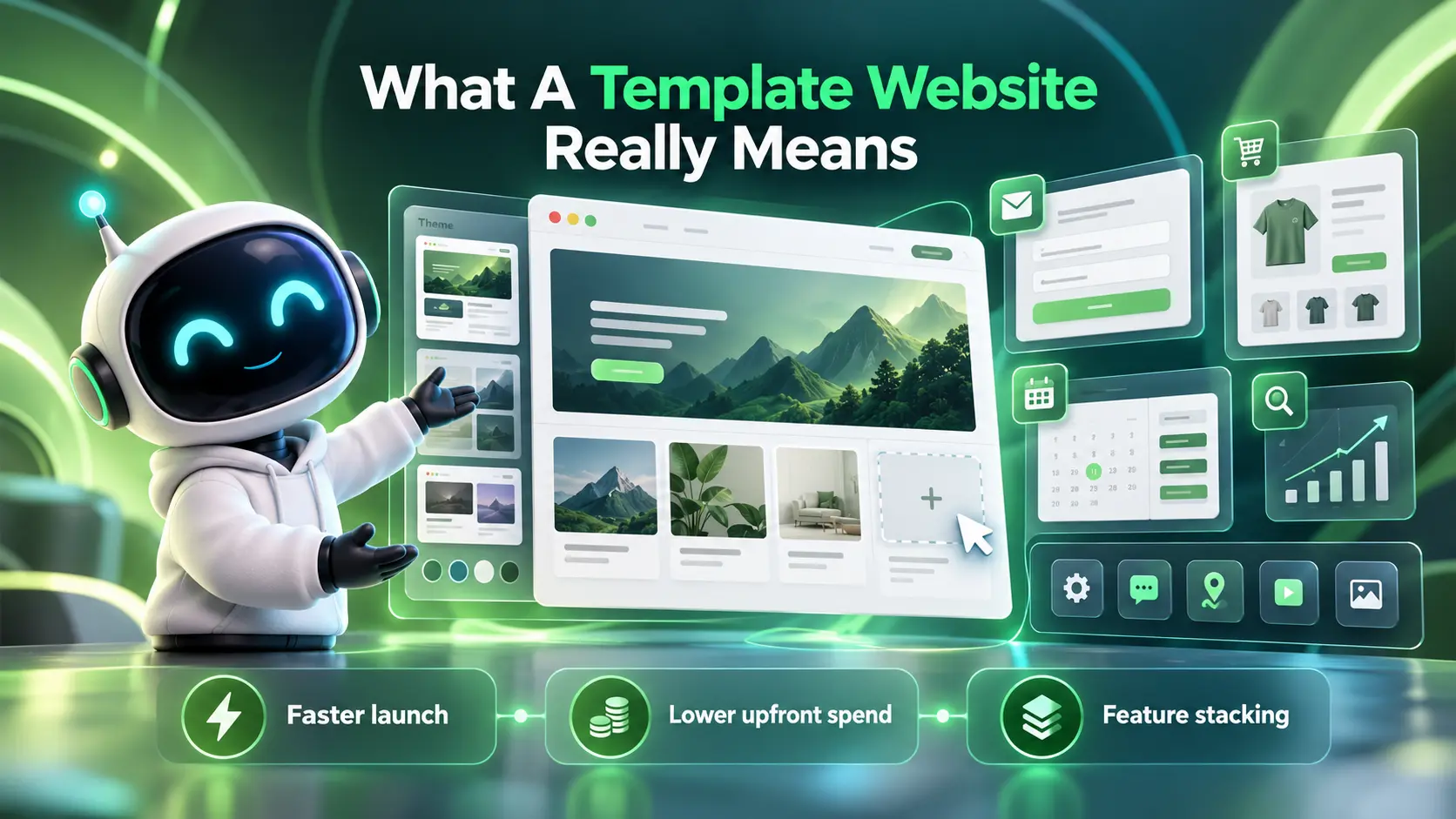
A template website uses a pre-designed theme or layout that businesses can customize with their own content, images, colors, and branding. Templates are available across popular platforms, including WordPress, Shopify, Wix, and Squarespace. Depending on the platform, additional features may come from plugins, apps, built-in tools, or custom modifications.
Template websites can offer professional designs, responsive layouts, ecommerce capabilities, and content management without requiring a completely original codebase. However, flexibility varies by platform, theme quality, licensing terms, and customization requirements.
For businesses with straightforward needs, a well-maintained template can offer a faster and more affordable launch while still supporting SEO, accessibility, security, and future improvements.
- Faster launch: You can publish core pages quickly by swapping copy, images, and brand colors.
- Lower upfront spend: Theme and plugin costs are typically far lower than custom engineering.
- Feature stacking: Add-ons can cover common needs like contact forms, booking, SEO tools, and ecommerce.
Those advantages are real. The tradeoff is that your site becomes a set of compromises across performance, flexibility, and long-term maintenance.
What Custom Website Development Actually Includes?
A custom website is designed and engineered around your specific requirements. That can mean a custom WordPress theme, a headless CMS build, or a fully bespoke web application depending on what the business needs.
Custom work is not only about visuals. It includes information architecture, UX decisions, code quality, accessibility, performance budgets, and integrations with tools like CRMs and analytics platforms.
- Tailored user experience: Layouts, navigation, and conversion paths are built to match your audience behavior.
- Greater control over code quality: A custom build allows developers to select dependencies, optimize scripts, and establish performance standards around business requirements. However, these improvements depend on development quality, testing, and ongoing maintenance rather than customization alone.
- Future-ready foundation: Your site can grow without fighting theme limitations or plugin conflicts.
This approach takes more time and budget, but it can protect revenue and reduce friction when your site becomes mission critical.
Custom Website Vs Template Comparison
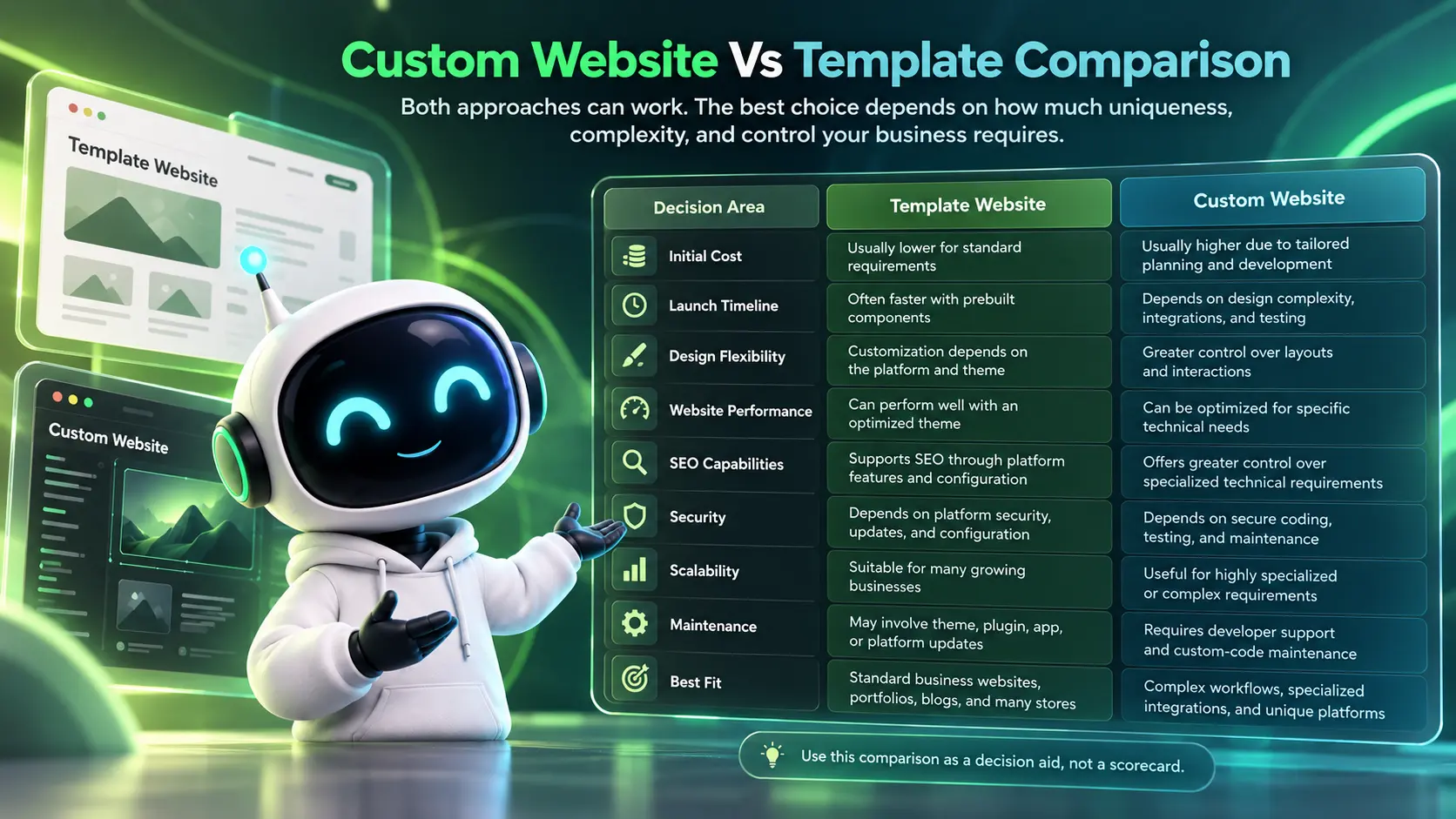
Both approaches can work. The best choice depends on how much uniqueness, complexity, and control your business requires.
The table below highlights practical differences that matter during launch and long-term operations.
| Decision Area | Template Website | Custom Website |
|---|---|---|
| Initial Cost | Usually lower for standard requirements | Usually higher due to tailored planning and development |
| Launch Timeline | Often faster with prebuilt components | Depends on design complexity, integrations, and testing |
| Design Flexibility | Customization depends on the platform and theme | Greater control over layouts and interactions |
| Website Performance | Can perform well with an optimized theme | Can be optimized for specific technical needs |
| SEO Capabilities | Supports SEO through platform features and configuration | Offers greater control over specialized technical requirements |
| Security | Depends on platform security, updates, and configuration | Depends on secure coding, testing, and maintenance |
| Scalability | Suitable for many growing businesses | Useful for highly specialized or complex requirements |
| Maintenance | May involve theme, plugin, app, or platform updates | Requires developer support and custom-code maintenance |
| Best Fit | Standard business websites, portfolios, blogs, and many stores | Complex workflows, specialized integrations, and unique platforms |
Use this comparison as a decision aid, not a scorecard. A strong template build can outperform a rushed custom build, and the reverse can also be true.
When Paying for Custom Development Is Worth It?
Custom development pays off when the website is tightly linked to revenue, operations, or brand trust. The more your business depends on the site working perfectly, the more valuable custom control becomes.
The signals below usually indicate that a template is costing more than it seems.
- Your site needs advanced integrations: CRM syncing, inventory feeds, marketing automation, or custom analytics tracking often require cleaner architecture.
- Performance affects leads or sales: Slow load times, layout shifts, and heavy scripts can reduce conversion rates and quality scores.
- You need unique user flows: Multi-step quoting, gated resources, member areas, or complex product configurations are hard to do well with plugins alone.
- Compliance and accessibility matter: Industries with strict privacy, consent, and accessibility standards benefit from custom QA and disciplined development.
- Your team publishes often: A custom CMS experience can reduce content errors and speed up updates without breaking layouts.
When these conditions apply, paying for custom work is less about luxury and more about lowering business risk while improving long-term efficiency.
When A Template is the Smarter Business Choice?
Templates are a solid choice when speed and budget predictability matter more than uniqueness. They are also useful when the website is not yet proven as a major revenue channel.
Templates tend to work well under these conditions.
- You need a quick launch: A clean, well-structured template site can validate messaging and offerings faster.
- Your requirements are standard: Brochure sites, simple service pages, and basic ecommerce often fit within theme capabilities.
- You have limited internal support: A simpler setup can be easier to manage if you do not have a technical team.
- You are testing a new market: Lower investment makes sense until product market fit is clearer.
A template can still be built with care. The key is avoiding excess plugins and prioritizing strong content structure.
Total Cost of Ownership and Hidden Costs
Many decisions focus only on upfront pricing. A better lens is total cost of ownership, which includes maintenance, fixes, and the cost of missed opportunities when the site holds growth back.
Template websites may accumulate additional costs through premium themes, plugin or app subscriptions, compatibility fixes, and ongoing customization. Custom websites generally require greater initial investment and can also involve significant expenses for hosting, testing, specialist developers, and future upgrades. Neither approach guarantees lower lifetime costs. The more reliable comparison is an itemized total cost of ownership estimate based on the features, support requirements, and expected lifespan of the website.
- Theme and plugin sprawl: Each add-on increases update workload and potential conflicts.
- Security exposure: Outdated plugins and shared theme patterns can increase risk.
- Conversion leakage: UX compromises and slow pages can quietly reduce lead volume.
When evaluating cost, include the hours your team spends managing the site, not only vendor invoices.
Example: Comparing Website Costs Over Three Years
The following example uses hypothetical costs for two different website projects. These figures are for illustration only and do not represent verified industry averages or actual agency quotations.
| Cost Category | Template Website | Custom Website |
|---|---|---|
| Initial Design and Development | $1,500 | $7,000 |
| Annual Hosting and Infrastructure | $300 | $600 |
| Annual Software and Licensing | $250 | $200 |
| Annual Maintenance and Support | $500 | $1,200 |
| Additional Changes Over Three Years | $1,000 | $1,500 |
| Illustrative Three-Year Total | $5,650 | $14,500 |
These totals include the initial build, three years of recurring expenses, and the stated additional changes. They exclude taxes, major redesigns, and potential downtime or lost business revenue.
In this example, the template website costs less over the three-year period. However, a company that requires specialized integrations or complex workflows may find that a custom website delivers sufficient operational savings or additional revenue to justify the higher investment.
Before making a decision, request itemized proposals that explain what is included in development, hosting, maintenance, support, and future changes.
SEO and Performance Differences That Matter
Both template and custom websites can achieve strong organic search visibility when they provide helpful content, accessible navigation, proper indexing, and a good user experience. Search performance depends on implementation quality rather than whether a website uses a prebuilt theme or custom code.
Some themes and page builders introduce unnecessary scripts or complicated layouts, but well-optimized templates can still deliver excellent performance. Custom development provides additional control over HTML structure, rendering, content models, and third-party resources, although these advantages depend on effective engineering.
Google’s page experience guidance explains that useful content, mobile usability, secure delivery, and overall usability should be considered together rather than treating a single performance metric as a guarantee of higher rankings.
- Better Crawlability and Site Structure: Clear navigation, logical internal linking, crawlable content, and appropriate indexation help search engines discover and understand important pages. Businesses should also connect their website structure to conversion goals. IMILI Corp’s guide to organic SEO for lead generation explains how buyer intent, technical SEO, and content architecture work together to attract qualified visitors.
- More reliable speed work: Performance tuning is easier when the build is not fighting theme defaults.
- Scalable content models: Custom post types and templates keep content consistent as the site grows.
If organic traffic is a major acquisition channel, the ability to fine-tune performance and templates can justify custom development sooner.
Core Web Vitals to Check Before Choosing A Website Platform
Website owners should measure performance rather than assume one development approach is faster. Google’s Core Web Vitals documentation identifies three important user-experience measurements.
| Performance Metric | What It Measures | Good Performance Target |
|---|---|---|
| Largest Contentful Paint (LCP) | How quickly the main visible content loads | 2.5 seconds or less |
| Interaction to Next Paint (INP) | How quickly the page responds to user interactions | 200 milliseconds or less |
| Cumulative Layout Shift (CLS) | How stable the visible page layout remains | 0.1 or less |
These targets are evaluated using real-user data at the 75th percentile. Review mobile and desktop performance separately where sufficient data is available.
Use Google PageSpeed Insights to investigate performance problems and identify improvement opportunities. A template website that meets business needs and performs well may be a better investment than a custom website that introduces unnecessary complexity.
Security, Maintenance & Long Term Stability
A website is software. Software needs patching, monitoring, and disciplined change management to remain stable.
Both template and custom websites require security updates, reliable backups, appropriate access permissions, and regular vulnerability assessments. Template-based websites may depend on themes, plugins, applications, and platform providers, while custom websites require developers to maintain application code, dependencies, and infrastructure. Neither approach is automatically secure.
Accessibility also deserves attention during development and maintenance. The World Wide Web Consortium’s Web Content Accessibility Guidelines (WCAG) 2.2 provide recognized standards for creating more accessible digital experiences. Businesses should evaluate keyboard navigation, form labels, readable content, sufficient contrast, and accessible interactive elements regardless of their chosen website platform.
Before selecting a development partner, confirm who is responsible for security patches, accessibility testing, backups, incident response, and long-term technical support.
- Update discipline: Regular CMS and plugin updates should be planned, tested, and logged.
- Access control: Role-based permissions and strong authentication lower risk.
- Backups and recovery: Automated backups and tested restore procedures prevent prolonged downtime.
Businesses that cannot afford outages or security incidents often benefit from a more controlled, custom architecture and a support plan.
How to Decide Without Overbuilding?
The best decision is rarely extreme. Many organizations succeed with a hybrid approach such as a custom-designed WordPress theme that keeps editing easy while delivering a unique experience.
To avoid overspending, start by defining what must be custom and what can remain standard. A requirements workshop and a clear sitemap usually reveal where templates will struggle.
- Define Your Business Goals: Identify whether the website must generate leads, support ecommerce, accept bookings, deliver content, or manage complex customer interactions.
- Document Essential Features: Separate must-have features from optional functionality, including forms, payment systems, customer accounts, product catalogs, and automation.
- Review Platform Limitations: Determine whether a suitable template or existing platform can support your requirements without excessive customization.
- Evaluate Integrations and Growth: Consider CRM connections, inventory systems, analytics, third-party APIs, and potential increases in website traffic or operational complexity.
- Compare Three-Year Costs: Request itemized estimates covering development, hosting, software subscriptions, maintenance, and future improvements.
- Set Quality Requirements: Define expectations for mobile usability, accessibility, security, testing, and Core Web Vitals.
- Choose the Simplest Sustainable Solution: Select a template, custom build, or hybrid approach that meets essential business needs without unnecessary development work.
This process keeps the scope grounded and helps you get the benefits of custom work without building features that no one uses.
Working With A Development Partner
Whether you choose a template or custom development, the quality of execution determines the final result. Look for a development partner who can explain project requirements, design decisions, testing procedures, maintenance responsibilities, and the costs of future improvements.
Before selecting an agency, request a detailed proposal covering deliverables, revision limits, hosting arrangements, support periods, and ownership of website assets. You can also review IMILI Corp’s website development pricing and packages to explore its published development options, including smaller business websites and projects requiring more advanced integrations. Confirm current pricing, package inclusions, and project-specific requirements directly before making a decision.
If your business needs help evaluating website architecture, improving performance, or planning a new development project, explore IMILI Corp’s digital growth and development services. The company presents website development, technical support, SEO, and performance-focused marketing as part of its broader service offering.
Before starting a project, clarify which development, optimization, and maintenance services are included in your proposed scope. This makes it easier to compare providers based on actual deliverables rather than broad service descriptions.
- Discovery and planning: Align features, content, and integrations with business goals.
- UX and UI design: Build intuitive layouts that support conversion and accessibility.
- Development and QA: Deliver secure code, tested forms, and consistent responsive behavior.
- Ongoing support: Keep updates, monitoring, and improvements on a predictable schedule.
A good partner will also help you decide when a template is enough and when custom work is the safer long-term choice.
Conclusion
Choosing between a custom website and a template depends on your business goals, required features, technical resources, and long-term budget. Template websites are often ideal for straightforward business needs, faster launches, and manageable upfront costs. Custom development becomes more attractive when specialized integrations, complex workflows, or unique customer experiences cannot be delivered efficiently through an existing platform.
Neither option guarantees better SEO, security, or performance. These outcomes depend on development quality, ongoing maintenance, and regular testing.
Before committing to either approach, compare detailed project proposals, estimate the total cost of ownership, and identify which features genuinely require custom engineering. The best website is the one that delivers the functionality your business needs while remaining practical to manage and improve as your business grows.
Frequently Asked Questions
How Do I Know if My Template Website Has Reached its Limits?
Common signs include recurring plugin conflicts, slow pages that are hard to improve, and frequent layout issues during content updates. If key business features require workarounds or manual processes, a custom build may be more efficient.
Can I Start With a Template and Move to Custom Later?
Yes, and it is often a practical approach. The key is choosing a platform and content structure that can be migrated cleanly, then planning the custom rebuild around proven pages and conversion paths.
Does Custom Development Always Improve SEO?
Not automatically, but it can remove technical barriers that templates sometimes introduce. When combined with strong content, clean site architecture, and performance work, custom development can make SEO improvements easier to achieve and maintain.
Is a Custom Website Cheaper Than a Template in the Long Run?
Not necessarily. Template websites often have lower development costs, but expenses can increase with premium extensions, maintenance, and repeated customization. Custom websites require a larger initial investment and may involve ongoing developer support. Compare total ownership costs over several years and consider whether specialized functionality delivers measurable business value before choosing either option.
Can a Template Website Be Upgraded to a Custom Website Later?
Yes. Businesses can start with a template and invest in custom development as their requirements grow. However, the migration process depends on the current platform, content structure, database, integrations, and website features. Before rebuilding, plan content migration, URL redirects, SEO preservation, data backups, and functionality testing to reduce the risk of traffic loss or operational disruption.