

Lead generation campaigns live or die by measurement. If conversion tracking is incomplete or inconsistent, bidding learns the wrong signals, reporting becomes unreliable, and follow-up teams lose trust in paid results. This guide walks through what to set up first so Google Ads can optimize toward real leads, not just clicks.
Why Conversion Tracking Order Matters?
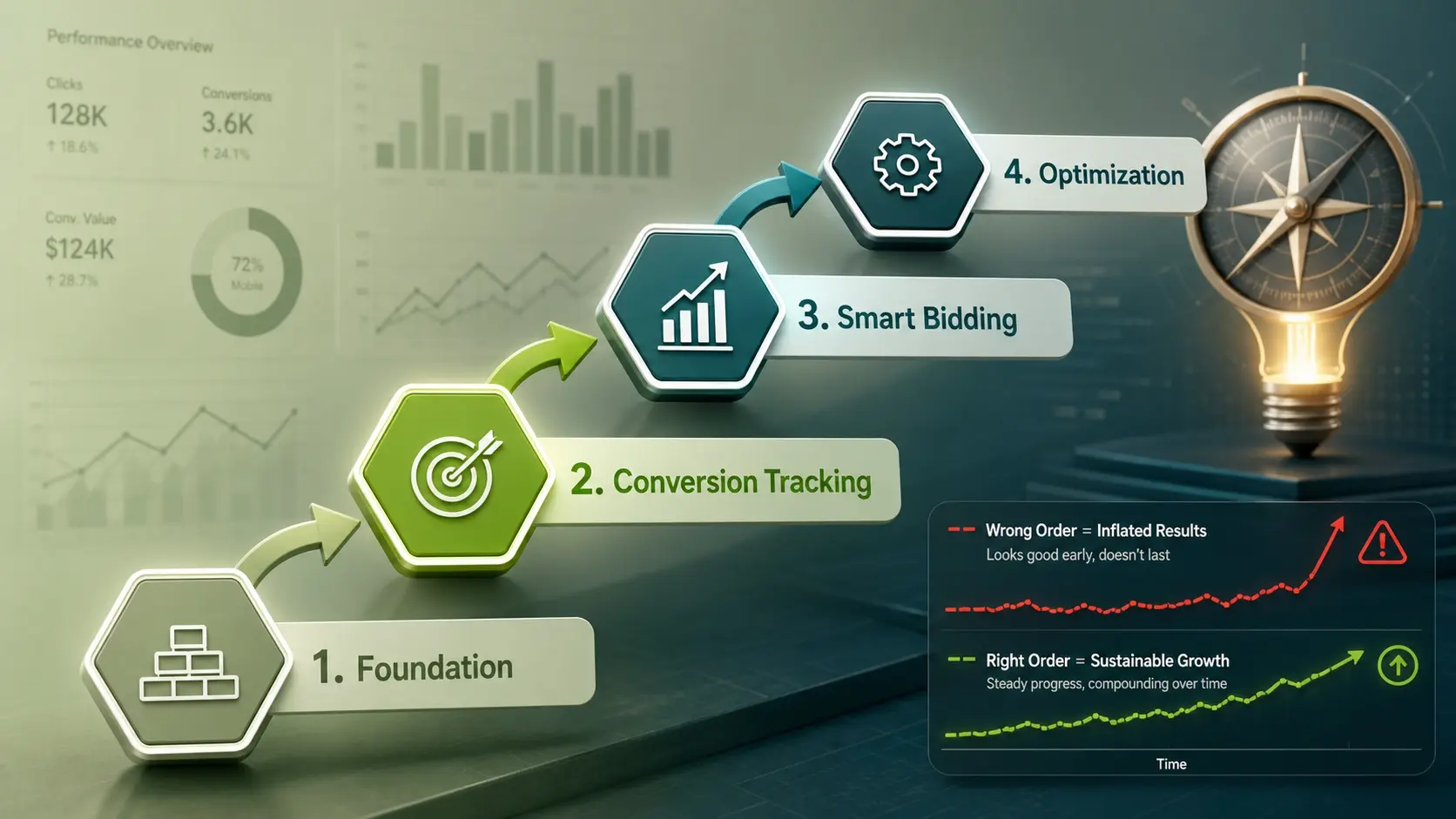
Google Ads automation depends on conversion signals. When those signals are set up in the wrong order, early data can train Smart Bidding on low-value actions and inflate performance.
Starting with a clean measurement foundation keeps attribution stable, improves optimization speed, and protects budget. It also makes it easier to connect ad performance to pipeline outcomes.
Define A Lead And A Primary Conversion
A lead should be defined as an action that creates a real sales opportunity. Common lead actions include completed forms, booked appointments, phone calls that meet a minimum duration, and qualified chat submissions.
Pick one primary conversion that represents the best balance of volume and intent. Secondary actions can be tracked too, but they should not all be counted as equal success.
- Primary Conversion: The main action used for bidding and headline reporting.
- Secondary Conversions: Supporting actions used for analysis, troubleshooting, and funnel visibility.
- Micro Conversions: Early intent signals such as viewing a contact page, used cautiously to avoid optimizing for weak intent.
With clear definitions in place, the technical setup becomes far simpler and more consistent across campaigns.
Choose Your Tracking Stack And Ownership
Decide whether conversions will be managed in Google Ads, Google Analytics, or both. A common approach is to use Google Tag Manager for deployment, then send conversions directly into Google Ads for bidding accuracy.
Clarify ownership early. One team should be responsible for change control, naming conventions, and documentation so that tracking does not drift over time.
- Google Tag Manager: Centralizes tags, triggers, and variables to reduce site deployment risk.
- Google Ads Conversion Tags: Often best for Smart Bidding because they are built for ad platform optimization.
- Google Analytics Events: Helpful for broader funnel analysis and cross-channel reporting.
This decision sets the standard for how conversions are created, tested, and audited.
Set Up The First Conversion On The Thank You Page Or Success Event
Start with the most reliable signal, typically a form submission that triggers a dedicated thank you page or a clear success event. This reduces the chance of accidental fires and makes QA more straightforward.
If the website does not have a unique success page, track a specific event that only occurs after a completed submission. Avoid tracking button clicks alone because they can fire even when the form fails.
- Create The Conversion Action: Set it as a lead conversion, choose a count setting of one per interaction, and assign a value strategy that matches your reporting approach.
- Deploy The Tag Through Tag Manager: Use a trigger tied to the thank you page view or a verified success event, then publish with version notes.
- Validate In Real Time: Use Tag Assistant and Google Ads diagnostics to confirm one clean fire per true submission.
Once this first conversion is stable, expand coverage to other lead sources without compromising data quality.
Track Calls From Ads And Calls From Your Website
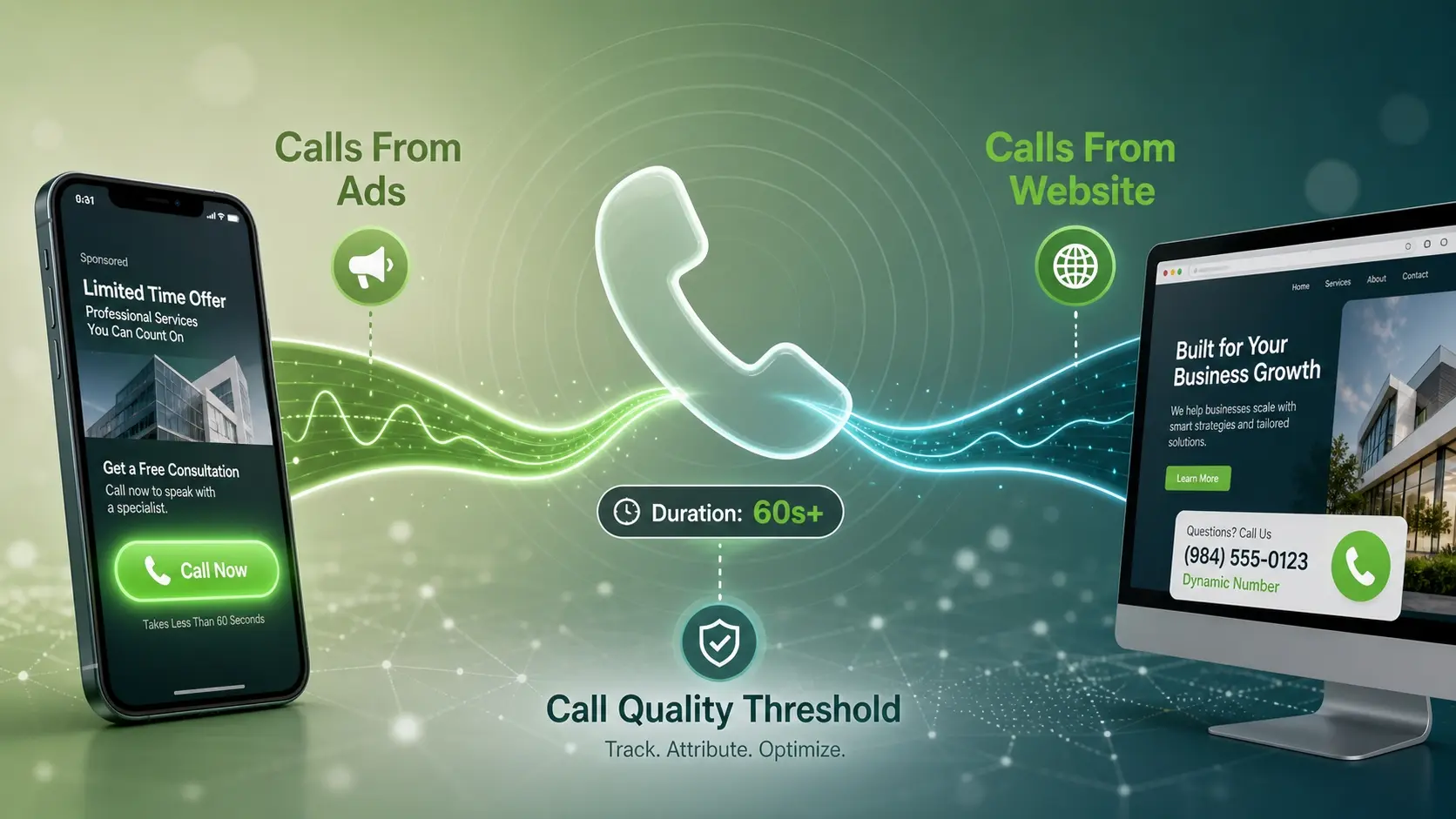
Lead generation often depends on phone calls, especially for service businesses and high-consideration offers. Calls should be measured as conversions only when they meet a duration threshold that indicates intent.
Set up two call pathways. One measures calls placed directly from call assets or call-only ads, and the other measures calls from your website using Google forwarding numbers when available.
- Calls From Ads: Captures click-to-call actions from the ad unit and supports campaign-level optimization.
- Calls From Website: Attributes calls to ad clicks when dynamic number replacement is correctly configured.
- Call Quality Threshold: Filters out wrong numbers and quick hang-ups by using a minimum duration.
After calls are tracked, reporting begins to reflect the true mix of lead sources rather than just form fills.
Prevent Duplicate And Low Quality Conversions
Duplicate conversions can occur through page refreshes, browser back buttons, or multiple tags firing for the same action. Low quality conversions happen when tracking is tied to weak intent events.
Protect the data before scaling spend. Use one conversion trigger per lead action, ensure the tag only fires after success, and keep micro conversions out of the primary set used for bidding.
- Use One Conversion Per Lead Type: Avoid multiple conversion actions that count the same submission.
- Set Count To One: For most lead actions, one conversion per click keeps optimization aligned with unique leads.
- Exclude Weak Signals From Primary: Keep page views and button clicks as secondary signals, not bidding goals.
These guardrails keep Smart Bidding learning from meaningful actions rather than noise.
Align Conversion Values With Lead Intent
Even when you cannot assign revenue to each lead, values help Google Ads prioritize higher-intent actions. A booked appointment may be worth more than a contact form, and a long phone call may indicate stronger intent than a short one.
Use a simple tiered approach. Start with relative values that match business priorities, then refine them using downstream data such as close rates or qualified lead rates.
| Lead Action | Recommended Conversion Role | Suggested Value Approach |
|---|---|---|
| Form Submission With Thank You Page | Primary | Baseline value that represents an average lead |
| Booked Appointment | Primary | Higher value than a general form based on intent |
| Phone Call Over Minimum Duration | Primary Or Secondary | Value scaled by intent proxy such as duration tier |
| Chat Lead With Contact Details | Secondary | Moderate value until qualification is confirmed |
Once values are consistent, reporting becomes more aligned with business outcomes instead of raw lead counts alone.
Connect Offline Lead Quality Back To Google Ads
Online conversions tell you who raised a hand. Offline signals tell you who was qualified, booked, or became a customer. Bringing that data back into Google Ads improves targeting and bidding over time.
Use offline conversion import when your CRM can capture the Google Click ID and map it to lead stages. If direct import is not feasible, start by improving lead form data quality and CRM hygiene so the path is ready.
- Capture Click Identifiers: Store Google Click ID and related attribution fields on the lead record.
- Map Lifecycle Stages: Define which stages count as qualified lead, appointment, or closed sale.
- Import Offline Conversions: Send back qualified milestones so bidding learns what good leads look like.
This step is where lead gen performance usually improves the most, since optimization shifts from volume to quality.
Build A Simple QA And Monitoring Routine
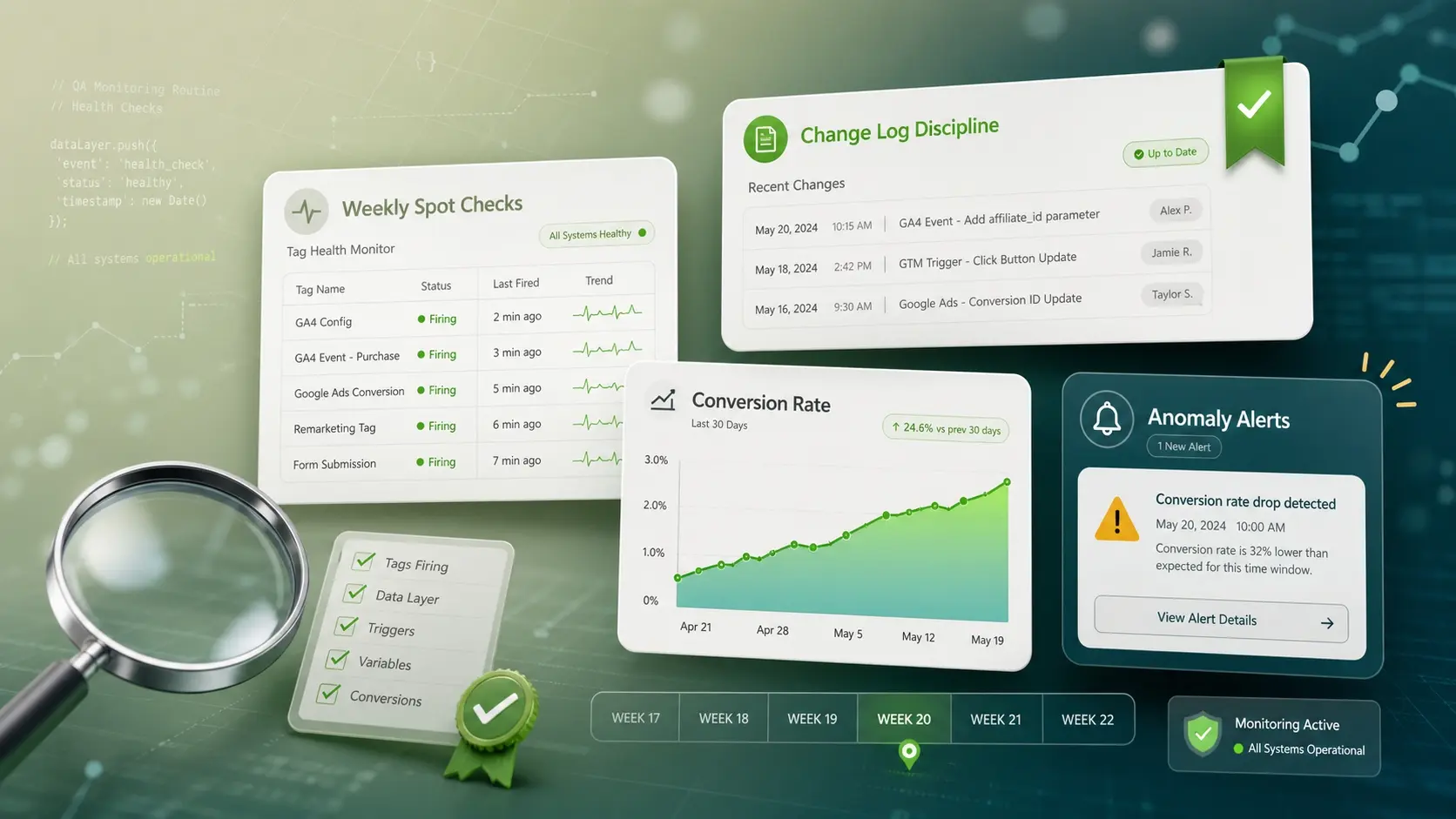
Tracking breaks quietly during site changes, form updates, and plugin replacements. A lightweight monitoring routine prevents weeks of bad data.
Include both technical checks and reporting checks. Technical checks confirm tags fire correctly, while reporting checks confirm conversion rates and cost per lead stay within expected ranges.
- Weekly Spot Checks: Test each primary lead path and confirm a single conversion fires.
- Change Log Discipline: Document tag edits and website releases that might affect tracking.
- Anomaly Alerts: Watch for sudden conversion spikes or drops that indicate tracking errors.
With monitoring in place, you can scale campaigns without fearing that measurement will drift.
When To Get Expert Help?
Some setups require careful implementation, especially when forms are embedded, routing rules are complex, or offline import is needed. If your team is spending more time troubleshooting than optimizing, it is often worth bringing in specialists.
ImiliCorp supports performance-focused tracking and lead generation measurement as part of its digital marketing services. A structured tracking audit, clean conversion architecture, and CRM alignment can reduce wasted spend and improve lead quality without changing your offer.
Conclusion
Start by defining what a lead is, then implement one reliable primary conversion first. Add calls, prevent duplicates, and assign values that reflect intent so bidding learns the right signals.
Once the foundation is stable, close the loop with offline lead quality and maintain a simple QA routine. That order creates trustworthy reporting and stronger optimization for lead generation.
Frequently Asked Questions
Should I track Google Ads conversions in Google Ads or in Analytics?
For lead generation, direct Google Ads conversion tags are often the most dependable for bidding. Analytics events are still valuable for broader funnel analysis and cross-channel reporting. Many teams use Tag Manager to deploy both cleanly.
How many primary conversions should a lead generation account have?
Most accounts perform best with one primary conversion per core lead type, such as form submissions and qualified phone calls. Too many primary conversions can confuse bidding and inflate reported success. Keep secondary conversions for visibility without steering optimization.
What is the fastest way to confirm conversion tracking is working?
Submit a real test lead through each primary path and verify one conversion is recorded in diagnostics. Confirm that refreshes and back button behavior do not create extra conversions. Then compare Google Ads conversion counts with your CRM lead counts for the same time window.