

Core Web Vitals shape how fast and stable a lead generation website feels when someone lands on a page and decides whether to contact you. They also influence organic visibility, which affects the volume and quality of inbound leads you can earn in 2026. When performance issues create friction, even strong copy and offers lose momentum.
Why Core Web Vitals Matter For Lead Generation?
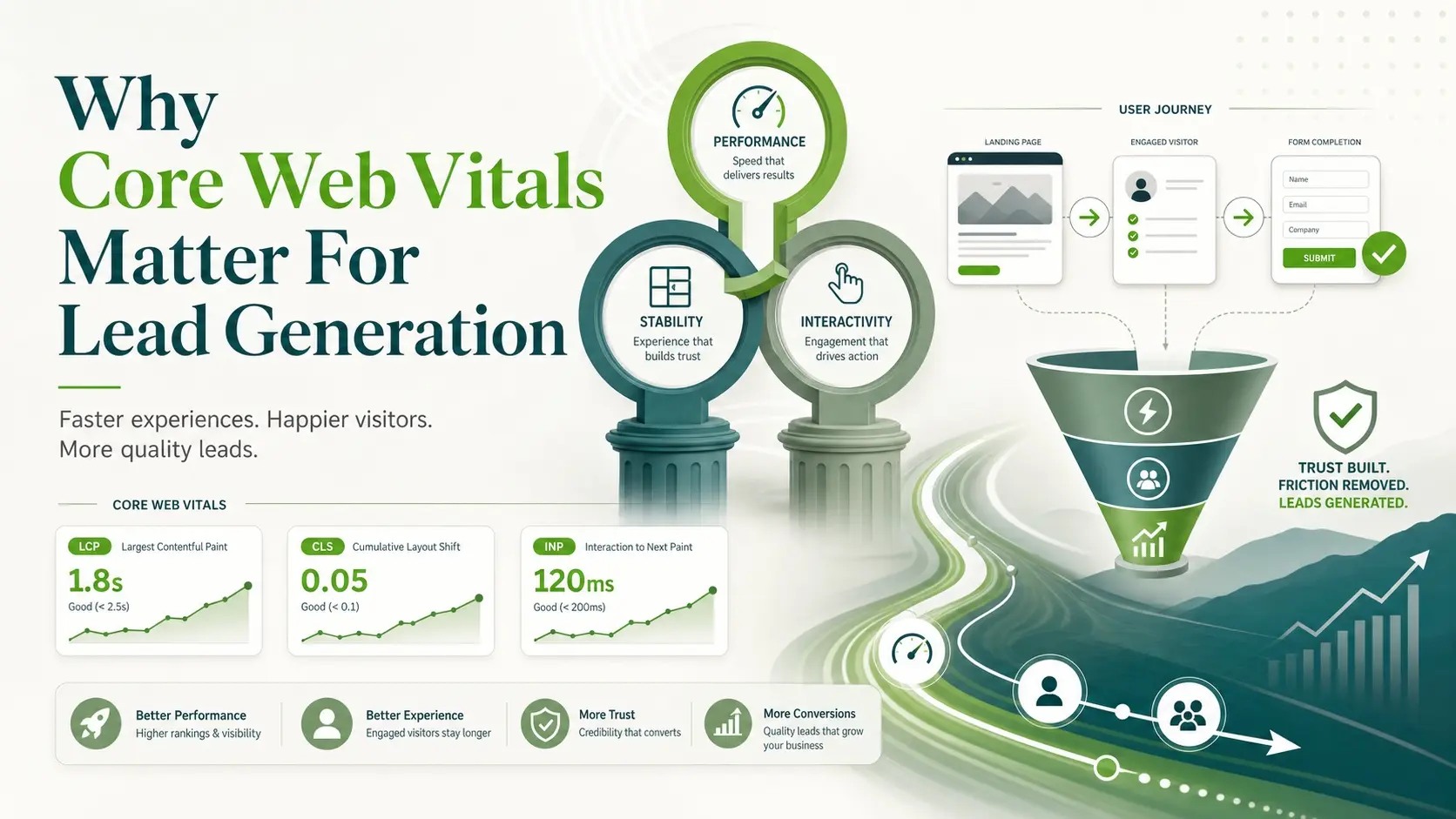
Lead gen pages succeed when visitors can read value propositions quickly, trust the page, and complete a form without delays. Core Web Vitals track the parts of that experience that most often trigger abandonment. They also align closely with conversion rate optimization because they reduce hesitation at the exact moment someone decides to act.
Search engines want to recommend pages that satisfy users. When your pages load slowly, shift around, or respond late to taps and clicks, users bounce and the signals look weak. Improving these metrics helps you keep intent-driven traffic and makes every marketing channel work harder.
Largest Contentful Paint And First Impressions
Largest Contentful Paint measures how long it takes for the main content of a page to appear. On lead generation sites, that main element is often the hero headline, a key image, or the primary content block above the fold. If that takes too long, visitors do not wait to understand what you offer.
Better LCP usually comes from serving smaller, properly sized images, improving server response time, and reducing render blocking resources. If your site uses a heavy theme or too many scripts, the browser spends time processing before showing the content. That delay can quietly reduce form submissions.
- Prioritize Above The Fold Content: Keep the first screen focused on one primary message, one supporting proof element, and one call to action.
- Optimize Hero Media: Compress images, use modern formats where supported, and avoid oversized backgrounds that delay rendering.
- Reduce Render Blocking: Minimize CSS and defer non-essential scripts so the browser can paint primary content faster.
Once the first screen appears quickly, visitors are more likely to keep reading and move toward the form or booking action.
Interaction To Next Paint And Form Responsiveness
Interaction to Next Paint measures how quickly the page responds after a user interacts. For lead generation websites, this often shows up when someone opens a menu, expands FAQs, selects a service option, or starts filling a form. Slow response creates doubt, and doubt reduces completion rates.
Common causes include heavy JavaScript, long tasks on the main thread, and third-party tags that compete for processing time. If you track multiple ad pixels, chat widgets, and analytics tools, the interactive parts of the page can feel sticky. Visitors notice that friction most when they are trying to submit.
- Audit Third Party Scripts: Remove tools that do not support revenue or lead quality, and delay anything not needed at first interaction.
- Break Up Long JavaScript Tasks: Use code splitting and reduce framework overhead so the browser can respond quickly.
- Keep Forms Lightweight: Avoid excessive validation scripts on every keystroke and keep field counts aligned with intent.
Fast interaction makes your page feel trustworthy, especially on mobile where delays are more noticeable.
Cumulative Layout Shift And Trust Signals

Cumulative Layout Shift measures how much elements move around while a page loads. On lead gen pages, layout shifts often happen when a banner appears late, fonts swap, images load without reserved space, or a chat widget pushes content. When a button shifts during a tap, it can cause misclicks and frustration.
Layout stability is closely tied to trust because stable pages feel more professional. Fixing CLS usually means reserving space for images and embeds, avoiding late injecting elements above the fold, and handling fonts carefully. When the layout stays steady, visitors can focus on what matters and complete the action.
- Set Image Dimensions: Always define width and height or use aspect ratio so the browser reserves space.
- Control Late Loading UI: Avoid banners and popups that push content, especially before the first interaction.
- Stabilize Fonts: Use font loading strategies that reduce flashing and reflow on important headings.
Stable layout reduces accidental clicks and improves confidence at the decision point.
Core Web Vitals Targets That Matter Most
Targets are useful when they drive practical decisions. The goal is not chasing perfect lab scores, but consistently meeting thresholds on real user devices. Focus on pages that generate leads, such as service pages, location pages, landing pages, and key blog posts that introduce your offer.
| Metric | What It Measures | Practical Target For Lead Gen Pages |
|---|---|---|
| Largest Contentful Paint | Main content appears | Fast enough that the hero and headline are visible quickly |
| Interaction To Next Paint | Responsiveness after user input | Immediate feeling taps, clicks, and form input |
| Cumulative Layout Shift | Visual stability while loading | No noticeable shifting near calls to action |
| Time To First Byte | Server response time | Consistently quick across peak traffic periods |
These targets guide prioritization without pushing you into changes that harm messaging or lead capture.
How To Audit Core Web Vitals Without Guesswork?
A reliable audit separates lab data from field data. Lab tests help you reproduce issues and validate fixes. Field data shows what real users experience across devices and networks.
- Identify Lead Critical Pages: List the URLs responsible for most form fills, calls, and booked meetings, then start there.
- Check Field Performance: Review real user metrics to find which pages fail thresholds most often on mobile.
- Run Consistent Lab Tests: Test the same pages with the same settings so improvements are measurable and not noise.
- Map Issues To Causes: Tie slow paint to images and CSS, poor interaction to JavaScript tasks, and shifts to late loading elements.
- Retest After Each Change: Validate gains and confirm you did not break tracking, forms, or critical UX elements.
This approach avoids random tweaks and keeps the work tied to lead outcomes.
Technical Fixes With The Biggest Impact
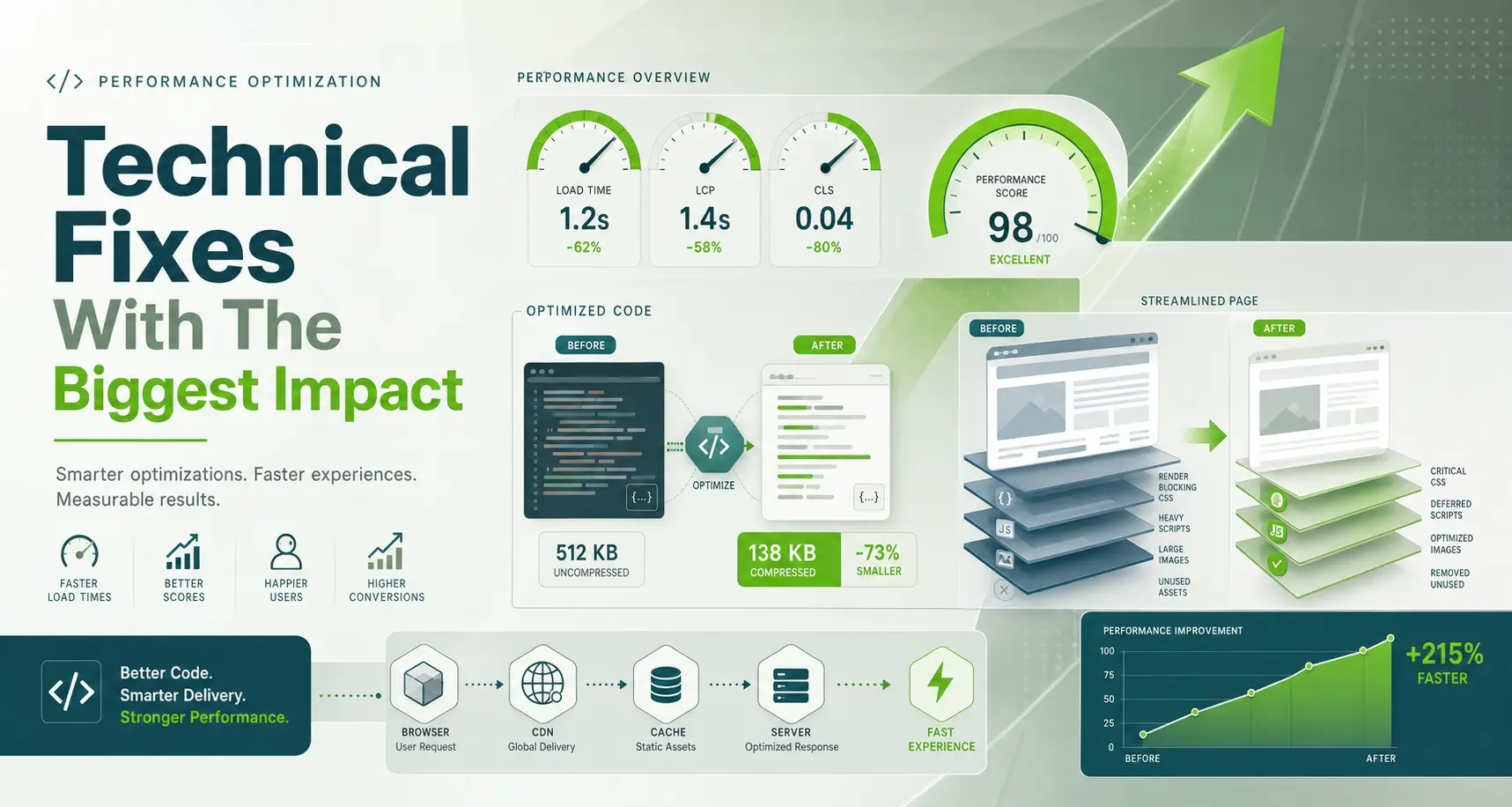
Many improvements are straightforward once you know the bottleneck. Lead generation sites often suffer from similar patterns, including heavy page builders, unoptimized media, and a stack of tracking scripts. Fixes should protect conversion elements while improving speed and stability.
- Image And Video Optimization: Compress, lazy load below the fold, and avoid autoplay media that competes with critical rendering.
- Hosting And Caching: Use server-side caching, a well-configured CDN, and optimized database performance for consistent response times.
- Script Governance: Keep only essential tags, load them efficiently, and remove redundant libraries to reduce main thread work.
- Lean Templates: Standardize page layouts for services and landing pages so improvements apply across the site.
If you need a coordinated approach, Imili Corp supports performance-focused web development and technical SEO that aligns speed fixes with conversion goals, especially for service businesses that rely on inbound leads.
Conversion Focused UX That Supports Web Vitals
Core Web Vitals and conversion rate optimization reinforce each other when the experience is clean. Pages that load quickly can keep the layout simple and reduce distractions. That helps users follow a clear path to contact.
Keep one primary call to action above the fold, reduce heavy sliders, and avoid multiple competing buttons. Use concise proof elements like ratings, certifications, or short testimonials in stable components. When design choices reduce complexity, performance improves naturally.
- Form Placement: Put the form near the point of highest intent and ensure it is usable without long scroll on mobile.
- Field Discipline: Ask only for what your sales team needs to qualify the lead, not everything you might want.
- Accessible Interactions: Use clear focus states, large tap targets, and fast feedback on validation and submission.
These choices reduce drop-offs while also lowering the page weight that harms performance.
Monitoring And Maintenance For Long Term Gains
Performance is not a one-time project because new plugins, tags, and content can slowly degrade metrics. Set expectations with your team so new additions go through a performance check. This prevents sudden drops in rankings and lead volume.
Track a small set of pages weekly and a broader set monthly. Watch mobile performance first since mobile networks and devices expose bottlenecks. When dips occur, roll back the last changes or isolate the component that introduced the issue.
- Change Control: Document new scripts, widgets, and design components before pushing live.
- Performance Budgets: Set limits for image sizes, total scripts, and third-party calls on lead pages.
- Release Testing: Re-test key templates after updates to themes, plugins, or tracking setups.
Ongoing monitoring protects the improvements that drive qualified inquiries.
Conclusion
Core Web Vitals matter for lead generation websites because they reduce friction at the exact moments that create or lose leads. Prioritize fast initial rendering, responsive interactions, and stable layout on your highest value pages. Keep performance work tied to revenue paths like service templates, landing pages, and form flows.
When you treat speed and stability as part of your lead funnel, improvements become easier to justify and maintain. A disciplined audit, targeted technical fixes, and simple conversion-focused UX can protect rankings and improve the volume of qualified submissions.
Frequently Asked Questions
Which Core Web Vitals Metric Impacts Lead Forms The Most?
Interaction to Next Paint often has the most direct impact because form fields, dropdowns, and submit buttons rely on quick responsiveness. If the page feels delayed during typing or submission, users abandon. Improving heavy JavaScript and third-party scripts usually helps fastest.
Should Landing Pages Sacrifice Tracking Scripts To Improve Core Web Vitals?
Keep only the scripts that support measurement and revenue decisions. Extra tags can slow interaction and inflate layout shifts, which can reduce conversions more than the tracking helps. A script audit and smarter loading strategy can preserve attribution while improving performance.
How Often Should Core Web Vitals Be Checked On A Lead Generation Website?
Check key lead templates regularly, especially after design changes, plugin updates, or new marketing tags. Weekly checks on top converting pages and monthly checks across main templates are a practical cadence. Field data should guide priorities because it reflects real user conditions.